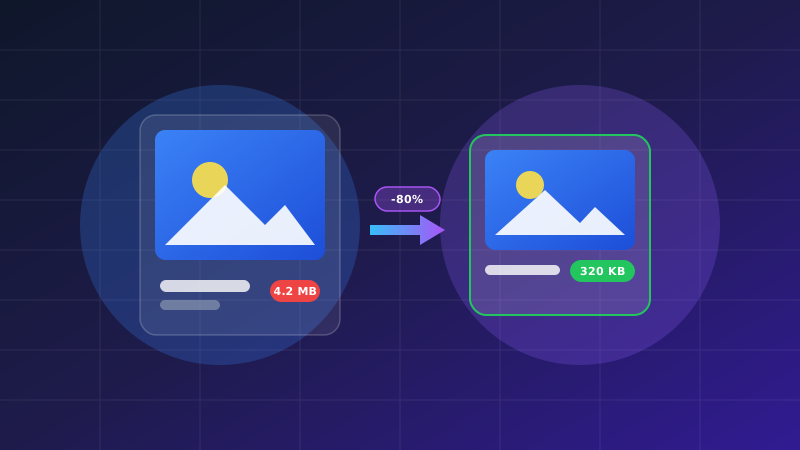
Optimizing Image Compression for Fast Web Speeds
The TapTools Online Image Compressor enables web developers, designers, e-commerce sellers, and bloggers to drastically reduce image file byte sizes without sacrificing visual clarity. Operating 100% locally inside your browser, you can compress PNG, JPEG, and WebP images in real time with interactive compression level controls.
Large image assets account for over 60% of total web page payload weight. Optimizing image bytes reduces mobile data consumption and accelerates page rendering speed. For PDF compression, check out our Compress PDF Tool.
How to Compress Images Online
- Upload Images: Drag and drop your PNG, JPG, or WebP images into the file drop area.
- Adjust Compression Quality: Use the interactive quality slider (e.g. 80% quality) to balance file size reduction with visual crispness.
- Compare File Size Savings: View real-time before vs. after file byte savings (e.g., 2.4 MB reduced to 420 KB).
- Download Compressed Images: Click "Download Image" to save your optimized asset immediately.
Perceptual Color Quantization
By stripping unneeded EXIF camera metadata and applying smart palette quantization, images retain vivid colors while shedding up to 85% of byte size.
Key Features of Our Image Compressor
- Supports Batch Image Processing
- 100% Browser Local Processing (Zero Cloud Uploads)
- Live Preview Before & After Comparison
- Convert Images to Modern WebP Format
Web Asset Optimization & Core Web Vitals
“Reducing image file size by 80% accelerates website loading speeds, decreases mobile data consumption, and lowers bounce rates.”
Frequently Asked Questions
Key insights about image compression and quality retention.
Which image formats are supported for compression?
We support JPG, JPEG, PNG, and WebP image formats with customizable compression quality sliders.
Will my images lose visible clarity or resolution?
Our intelligent compression engine uses perceptual color quantization. You can reduce file size by 70%–90% while keeping the image visually identical to the human eye.
Are my photos or graphic designs uploaded to a server?
No! All canvas re-encoding and image quantization occur 100% locally inside your web browser RAM. Your photos, private documents, and graphic assets never leave your device.
How does image compression improve website SEO?
Uncompressed images slow down website page rendering speeds. Compressing images reduces network transfer sizes and improves Largest Contentful Paint (LCP) and overall page load speeds. (CLS prevention is achieved separately by setting explicit image dimensions or aspect ratios).